
How to Reset 2FA in NetSuite?
To reset 2-Factor Authentication (2FA) in NetSuite, you’ll need to follow one of these approaches depending on whether you still have access to your account:
1. If You Still Have Access
- Log in to NetSuite.
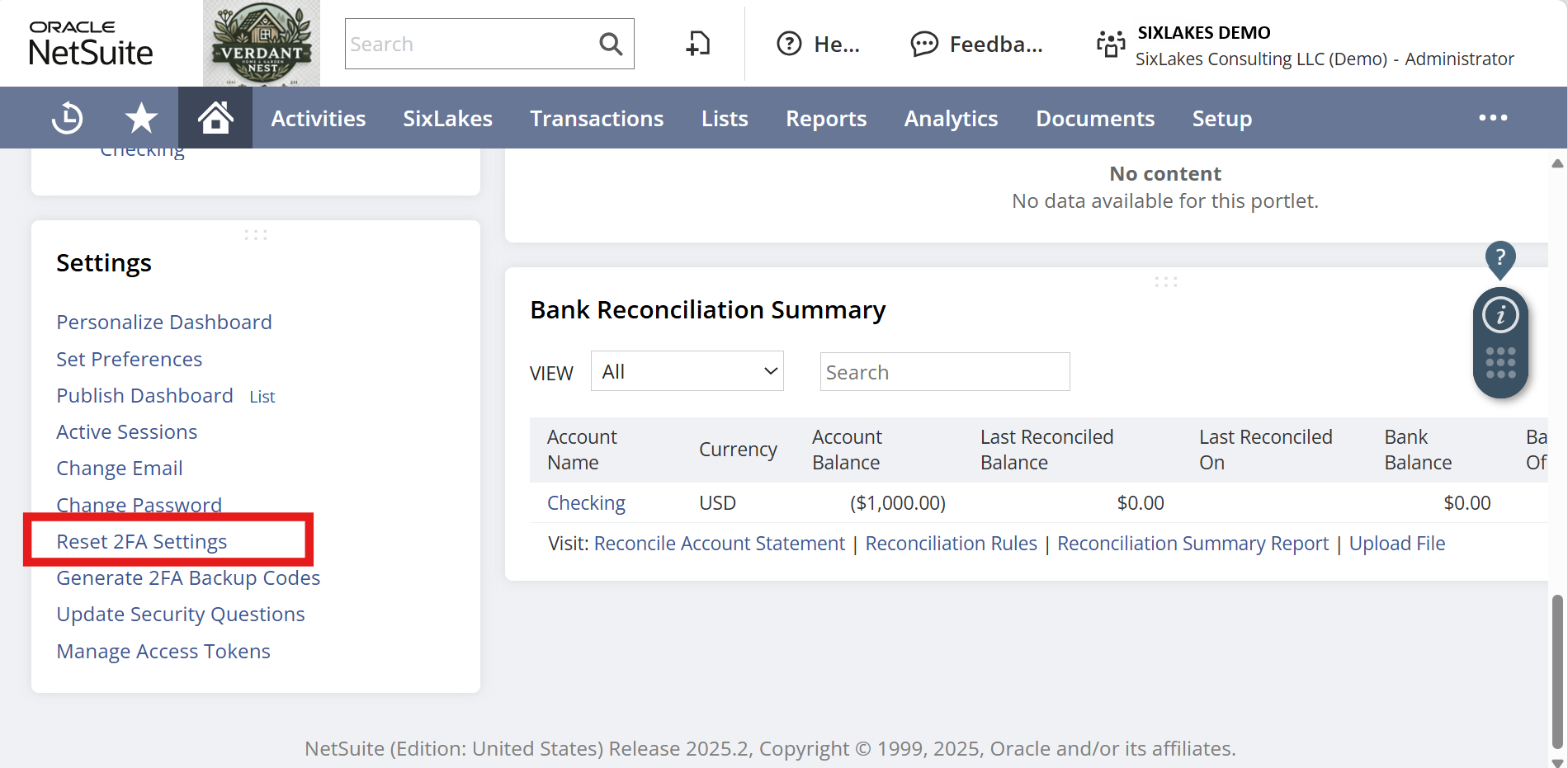
- Go to Home → Settings.
- Click Reset 2FA Settings.
- Follow the prompts to remove the old device and re-register your new authenticator app or phone.
Example screenshot:
2. If You’ve Lost Access
- Contact your NetSuite Administrator or IT helpdesk.
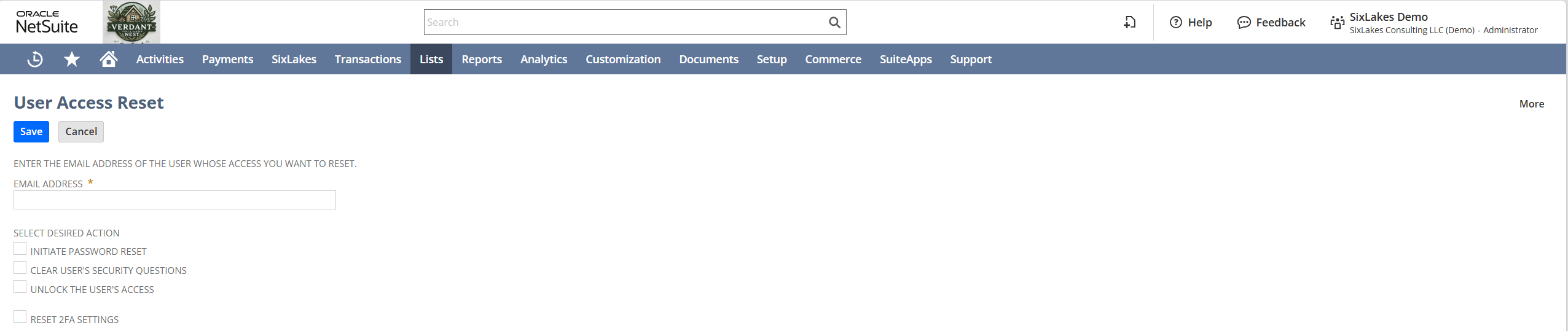
- The administrator can reset your 2FA using User Access Reset Tool:
- Go to Setup → Users/Roles → User Management → User Access Reset Tool.
- Enter the user’s email address (the one that’s locked out).
- Check Reset 2FA Settings.
- Once reset, log in again and reconfigure your authenticator device.
Example screenshot:
Tips
- Keep backup codes in a secure location to avoid future lockouts.
- Update your contact email in NetSuite for account recovery.
- If using SSO (Single Sign-On), check if your Identity Provider handles the 2FA process.